
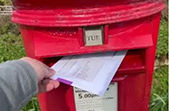
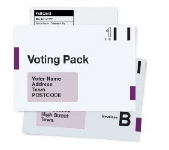
 A postal vote is when you are sent a postal ballot pack ahead of polling day and you return your ballot paper to the council offices in the post.
What will I need to apply for a postal vote online: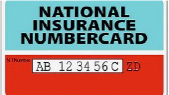
- Your National Insurance number (NINO) & Date of Birth (DOB)
(You can find your NINO on payslips, letters about tax, pensions and benefits) - A piece of plain white paper and a black pen. You will need to photograph your signature.
- Applying for a postal vote online only takes a few minutes
Apply for a postal vote

Click Start Now

- You will be asked questions including;
– Are you registered to vote and where?
– Your name and has it been changed?
– Where do you want your postal vote sending and how long for?
After you have completed each question press ‘continue’
Signing and uploading your signature 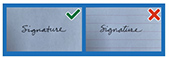
Sign your name in black ink on plain white paper
It must be a handwritten signature
- Take a photo of your signature
- In focus
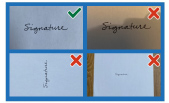
- No shadows
- Right way up
- No background/edge
Once photographed, upload your signature

- ‘Drag and drop’ your image into the box or click ‘Choose a file to upload’ and select it from your device.
- Select ‘Continue’. You should see an image of your signature. Check that it meets the requirements.
- Check and submit your signature, or cancel and upload another one if it is not right.
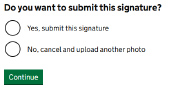

- After uploading, your signature will be stored securely and matched each time you vote. Your vote might not be counted if the signatures are very different.
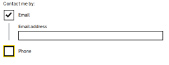
- If you wish to be contacted by email or telephone, enter your details here. If not untick the boxes.
- Check your details then press
 If you need to amend any details click ‘change to edit’.
- Once submitted the Electoral Registration Officer will contact you shortly to confirm if your application has been accepted or if further information is required.
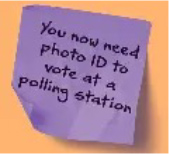
- If you don’t reapply your postal vote will be cancelled, and you will revert to a polling station voter. You will need an accepted form of photo ID to vote in person.
What if I don’t know my National Insurance number
- You can find your NINO on payslips, letters about tax, pensions and benefits.
- If you cannot find your NINO click ‘I cannot provide my National Insurance number’ and explain the reason why. You will be asked ‘what is your position’, most people will choose ‘none of these’. You will be asked if you can provide evidence to verify your identity, such as a passport or driving licence.
What if I cant write my signature (Signature Waiver)
- You will be asked if you can write your signature, that can be matched each time you vote, if this is not the case select ‘no’. Select the reason you cannot sign and press continue. Then select whether someone has assisted you with your application, if so enter their details.
I cannot upload my signature
- If you cannot upload an image - download, print out and fill in a paper form
https://www.gov.uk/government/publications/apply-for-a-postal-vote.
Send it to:
Electoral Registration Officer
Tamworth Borough Council
Marmion House
Lichfield Street
Tamworth
Staffordshire
B79 7BZ